
Free Friends
- Free plan for friends of AntiLogin
- 10 profiles
- Up to 300 profile creations per month
- 2 profiles running at once
Free
for 12 months
Separate browser profiles and sessions, assign proxies and organize team access in AntiLogin. Connect automation through MCP and Playwright within your plan’s feature limits.
Keep cookies and session data with the right project profile and return to your work after relaunching.
Name profiles clearly, add tags and assign proxies to fit your workflow.
Separate employee tasks and review permissions before sharing a profile with an active session.
Organize project profiles in a workspace and invite colleagues within your selected plan.
Configure profile and action permissions. Access to a profile can provide access to its signed-in accounts.
Review member actions in the activity log to understand who worked with profiles.
MCP manages AntiLogin objects: profiles, proxies, tags and session launches. Use the automation port to connect Playwright over CDP for actions inside the browser. Availability depends on your plan and workspace permissions.
Download AntiLogin for Windows or macOS and sign in to your workspace.
Set a name, browser parameters and your own proxy if needed.
Sign in to an account you are authorized to use and check session persistence after relaunch.
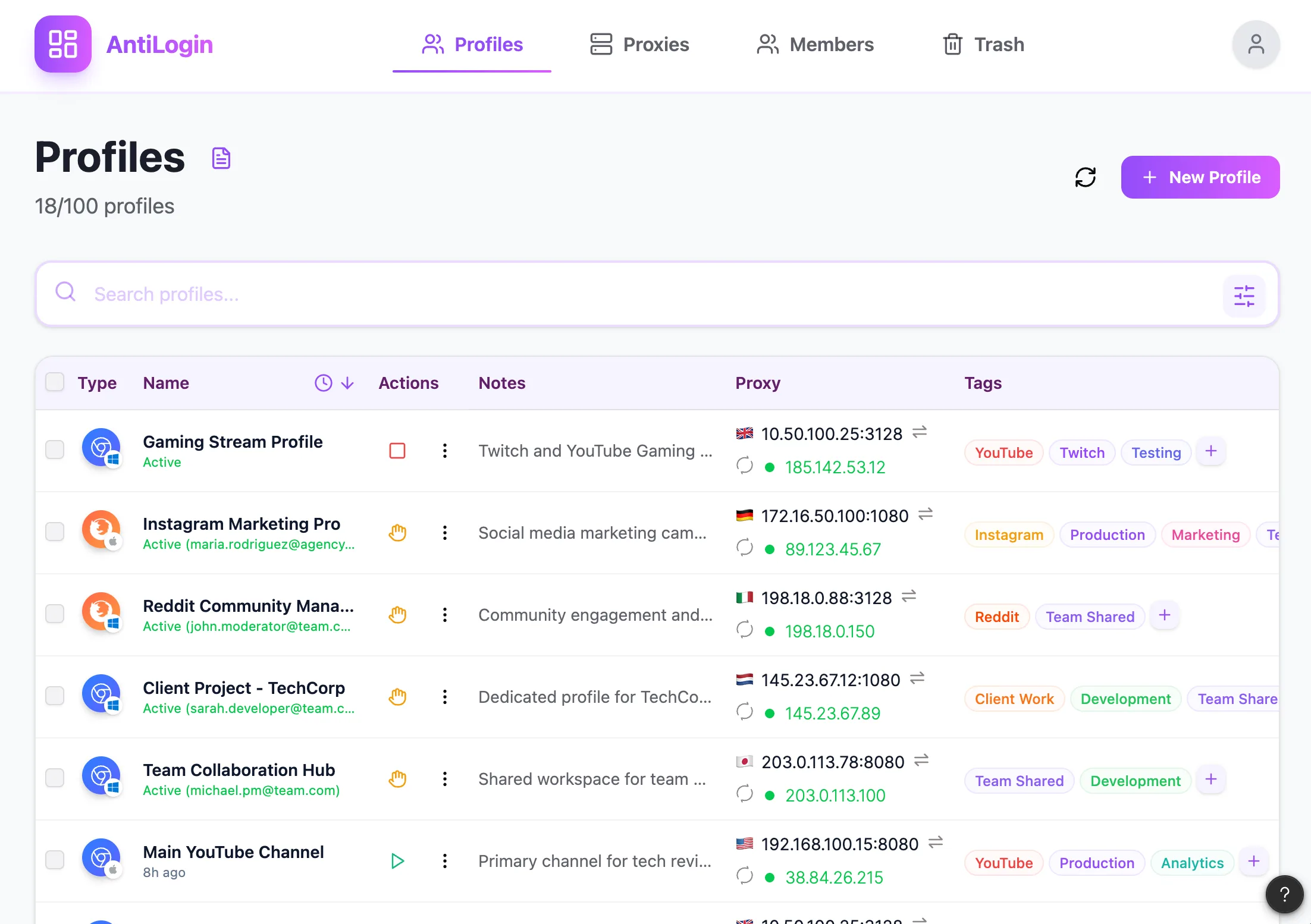
Profiles, proxies, members and profile creation in the AntiLogin interface.
for 12 months
for 12 months
for 12 months
for 12 months
A profile retains separate cookies, session data and browser settings for repeat use. Incognito usually clears session data after closing and does not manage multiple persistent working profiles.
A browser profile and a network IP are separate settings. Assign a proxy separately when your workflow requires it. Proxy traffic is not included in an AntiLogin subscription.
Workspaces, member permissions and activity logs help distribute work. Check your plan’s features and limits. Profile access may expose signed-in accounts, so grant only the permissions needed.
MCP can create and edit profiles, manage proxies and tags, start and stop sessions and retrieve the CDP port. A connected tool such as Playwright performs actions on pages. Access depends on your plan and permissions.
No. Platform decisions depend on network settings, account behavior and service policies. Use accounts and workflows you are authorized to operate.
Free Friends availability is determined in the app. It includes 10 stored profiles, up to 300 profile creations per month and two concurrent launches. These are separate allowances; check eligibility before starting.
Install the app, set up your working environment and check the plan that fits. Free Friends availability is determined in the app.