
AntiLogin · Profiles and workflows
Manage Browser Fingerprint Settings for Each Profile
Explore browser fingerprint settings in AntiLogin, check profile consistency and understand the limits. Build a clear setup for separate account workflows.
Free Friends availability is determined in the app. MCP/CDP are available on paid plans.
Understand the Signals in a Browser Fingerprint
A browser fingerprint is a collection of observable environment signals. Browser version, operating system, language and rendering behavior can contribute to it. A network IP address is another signal, but changing a proxy alone does not change all browser parameters.
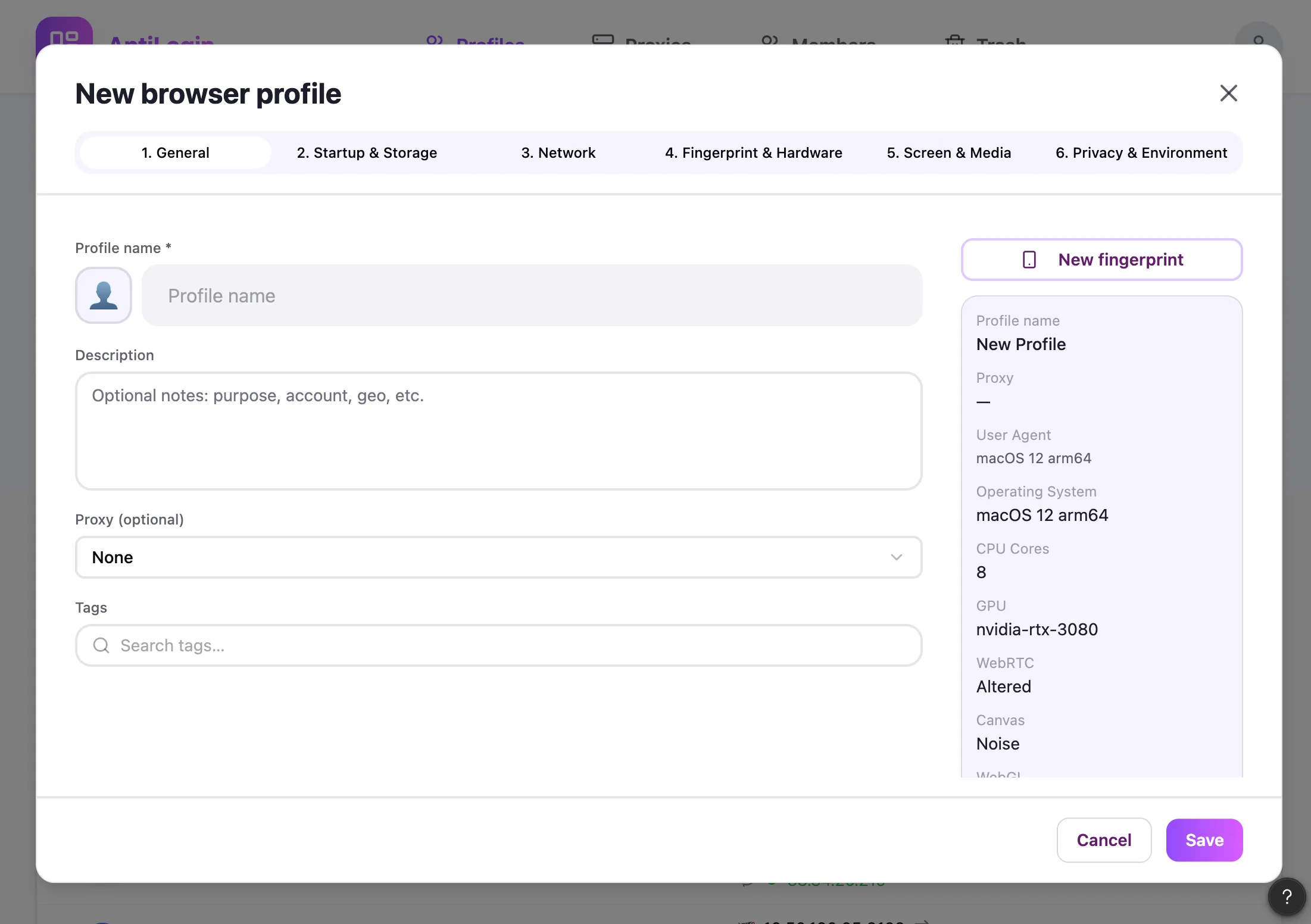
Review the Settings Available in AntiLogin
Use the fields actually available in the current profile editor. The creation screenshot below shows the product interface, rather than a claim about every configurable signal. Consult the current documentation before depending on an individual setting.
Keep Browser and Proxy Settings Consistent
Choose the profile environment and network connection as a coherent working setup. Record your intended language, location and operating environment. Unexpected differences are a reason to investigate configuration, not proof that a particular account will fail.
Check Your Setup with a Repeatable Test
For a repeatable check, record the app version, profile settings, proxy exit address, test page and time. Reopen the same profile and compare the same observations. Keep screenshots without exposing account credentials.
Understand What Fingerprint Controls Cannot Guarantee
A test reports the signals it can observe. It cannot prove universal undetectability, account independence or protection from account restrictions. Platforms also evaluate account history, behavior, payments and other relationships.
Choose the Right Profile Setup for Your Workflow
Begin with the minimum configuration needed for your legitimate workflow. Preserve a documented baseline before changing settings and compare one change at a time. Use profile management for organization rather than treating a test score as a business guarantee.
Questions and answers
Does changing my IP address change my browser fingerprint?
No. A proxy changes the network route; browser environment signals remain a separate configuration.
Which fingerprint settings can I configure in AntiLogin?
Use only the fields visible in your current profile editor and described in the current documentation.
Does an antidetect browser guarantee that accounts will not be blocked?
No. Websites also consider account history, behavior, network conditions and platform rules.
How can I check whether my profile settings are consistent?
Record app version, profile settings, exit IP, test page and time. Compare repeated observations without treating a test score as universal proof.