
AntiLogin · Profiles and workflows
Manage Proxy Settings for Each Browser Profile
Keep proxy settings organized across browser profiles. Connect, update and manage proxy objects with AntiLogin, including supported MCP workflows.
Free Friends availability is determined in the app. MCP/CDP are available on paid plans.
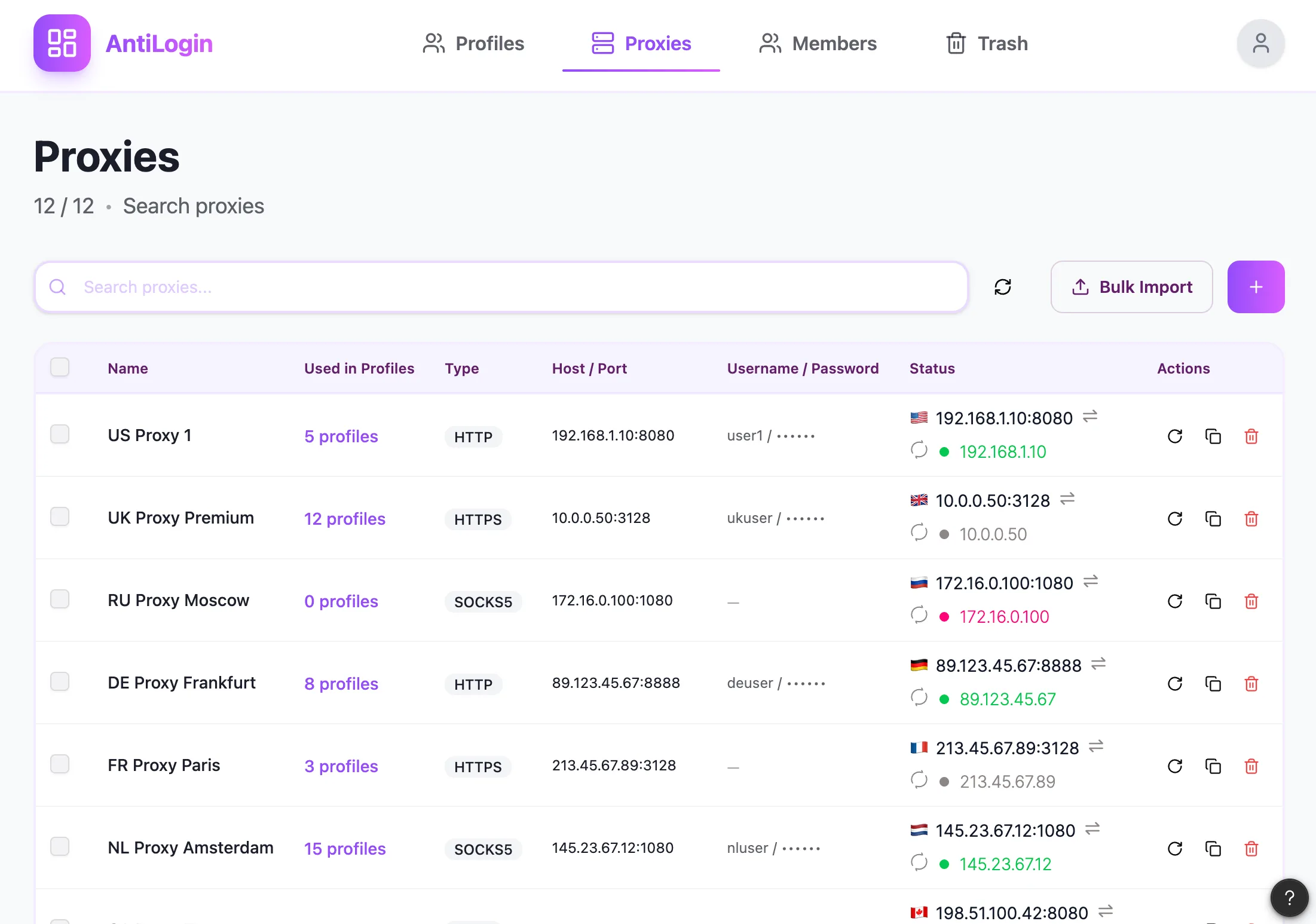
Keep Proxy Settings with the Right Profile
Keep a profile’s network configuration with that profile rather than in an operator’s memory. Name the proxy connection so its purpose is clear, and verify the profile-to-proxy association before opening a sensitive work session.
Add and Update Proxy Connections
Enter the connection address, port and authentication supplied by your provider using the options supported by the current editor. When credentials change, update the stored connection deliberately and check the affected profiles.
Check Network and Browser Settings Together
A proxy selects a network route; browser settings describe the environment. Check the exit location, intended language and profile settings together. A successful connection is not a guarantee that a website will accept an account.
Organize Proxy Access Across Your Workspace
Document who owns the proxy subscription and who may change its settings. Credentials and authenticated sessions are sensitive workspace information. Review permissions before allowing operators to modify a shared connection.
Manage Proxy Objects Through MCP
The documented management MCP includes proxy objects. Use the tool list for the installed version to inspect the fields and required permissions, then confirm which profile uses the object before changing it through automation.
Choose a Plan and Connect Your First Proxy
If a connection fails, check provider availability, address, port, credentials and local network reachability in that order. Keep browser plan cost and provider traffic cost separate. Pick the protocol from current documentation rather than assuming competitor compatibility.
Questions and answers
Which proxy types does AntiLogin support?
Check the connection options in the installed profile editor and current docs. Protocol and authentication support must match your provider.
Do I need to buy proxies separately?
Budget proxy traffic separately unless the actual purchased offer explicitly includes it.
Can I assign different proxies to different profiles?
Associate the intended proxy object with each profile and verify the correct connection before opening the website.
What should I check if a profile cannot connect through a proxy?
Check provider availability, address, port, credentials and local connectivity, then verify the assigned profile connection.