
AntiLogin · Profiles and workflows
Connect AI Agents to AntiLogin with MCP
Connect an MCP client to AntiLogin to manage profiles, proxies and sessions. Review permissions, plan requirements and the next step for CDP browser control.
Free Friends availability is determined in the app. MCP/CDP are available on paid plans.
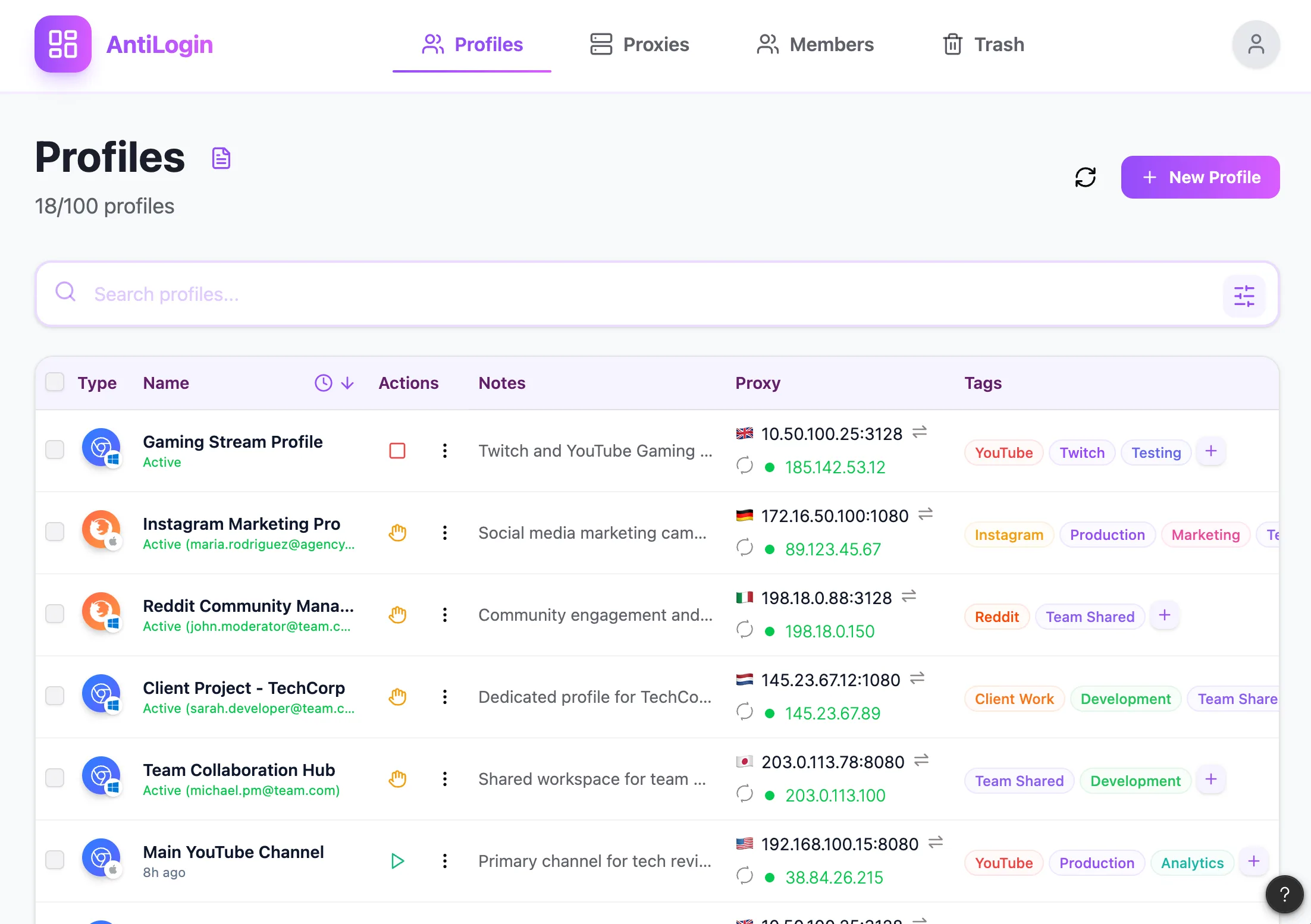
See What the AntiLogin MCP Connection Can Manage
The AntiLogin management MCP exposes operations for browser profiles, tags, proxies and running sessions. It allows an AI client to prepare application state; it does not by itself provide a webpage clicking tool.
Connect a Supported MCP Client
Follow the connection instructions for your installed AntiLogin version and the client you use. Review the client’s permission scope before connecting. Client-specific setup and supported options belong to the current documentation, not a universal compatibility claim.
Find, Create and Update Browser Profiles
Find an existing profile before creating another one. Read its identity, workspace and proxy association, then make only the intended update. A human-readable name helps review, while an object identifier prevents ambiguity in automation.
Start Sessions and Retrieve the Automation Port
Start the selected profile and obtain its automation port from the session information. Keep the port associated with the correct running profile. A closed session or a restarted profile may require you to retrieve connection information again.
Control Access with Client Permissions and Workspace Roles
Restrict the MCP client’s allowed operations and its workspace role to the task. Review approval requirements for consequential changes. Access to a profile can mean access to its authenticated websites, not just its name and settings.
Combine MCP Management with CDP Browser Control
Connect a separate browser control tool through CDP when webpage interaction is required. Inspect the current account and page before acting. Confirm MCP/CDP entitlement in the workspace and troubleshoot each connection separately.
Questions and answers
Can MCP itself click buttons on websites?
AntiLogin management MCP does not itself click webpages. Connect a separate CDP browser tool for page interaction.
Which profile operations can an agent perform?
Documented operations cover profiles, tags, proxies, starting and stopping sessions, and retrieving the automation port.
How can I limit an AI agent's access?
Restrict both the client’s allowed operations and its workspace role; review actions requiring approval.
Which AI clients are supported?
Use the setup instructions for your client and installed version in the current MCP documentation. Universal compatibility is not assumed.