
AntiLogin · Profiles and workflows
Keep Store and Seller Workspaces Separate in Your Browser
Organize store and seller sessions in separate AntiLogin profiles. Use tags, proxies and team permissions to keep daily ecommerce work clear across brands.
Free Friends availability is determined in the app. MCP/CDP are available on paid plans.
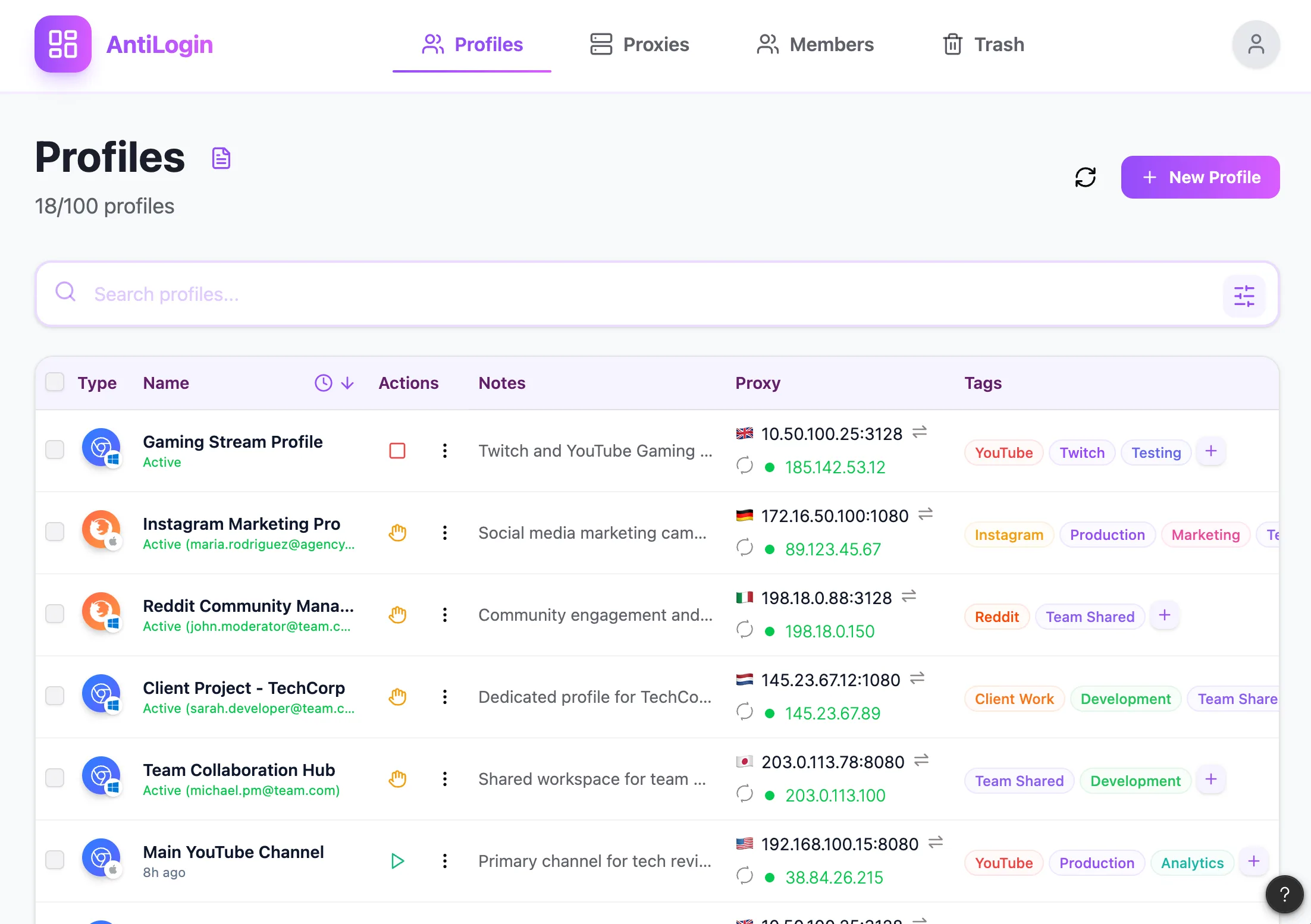
Map Profiles to Your Stores, Brands and Authorized Users
Map a profile to a store, brand and authorized operator context. Start with your own seller dashboard rather than assuming that multiple stores are permitted everywhere. Each marketplace defines its own eligibility and account rules.
Keep Seller Sessions and Proxy Settings Organized
Keep session and connection settings associated with the intended store profile. Clear labels help operations staff avoid opening the wrong brand’s dashboard. Browser settings do not alter a marketplace’s identity or business verification requirements.
Set Up a Store Profile and Label Its Purpose
Create a profile for an existing authorized store, open the seller dashboard and confirm the store identity. Reopen it after a normal close to verify the working process, and handle renewed authentication whenever the service requests it.
Give Operations Staff the Access They Need
Give operations staff access to the relevant workspace and assign the appropriate seller role within the marketplace separately. A browser profile cannot reduce permissions already held by the account signed into it.
Follow Marketplace Account Rules and Native Roles
Check current official marketplace rules before opening another store or assigning another operator. This page describes browser organization, not marketplace eligibility or permission to create additional accounts.
Review a Store-Management Example and Your Plan
Test the web operations you require, such as viewing orders or exporting an existing report, before expanding the setup. AntiLogin does not replace inventory management, a CRM or the seller dashboard. No universal marketplace compatibility is implied.
Questions and answers
Am I allowed to have multiple stores on a marketplace?
Check each marketplace’s current official rules and your business eligibility before creating additional stores.
Does AntiLogin replace a CRM, inventory system or seller dashboard?
No. Orders, inventory, customer records and store roles remain in the corresponding systems.
Can I give a manager access to just the store they need?
Review both the workspace access and the native seller role. A browser cannot reduce an already authenticated account’s platform permissions.
Which marketplaces are supported?
Test your own required web dashboard tasks. This page does not claim a tested compatibility list for every marketplace.